
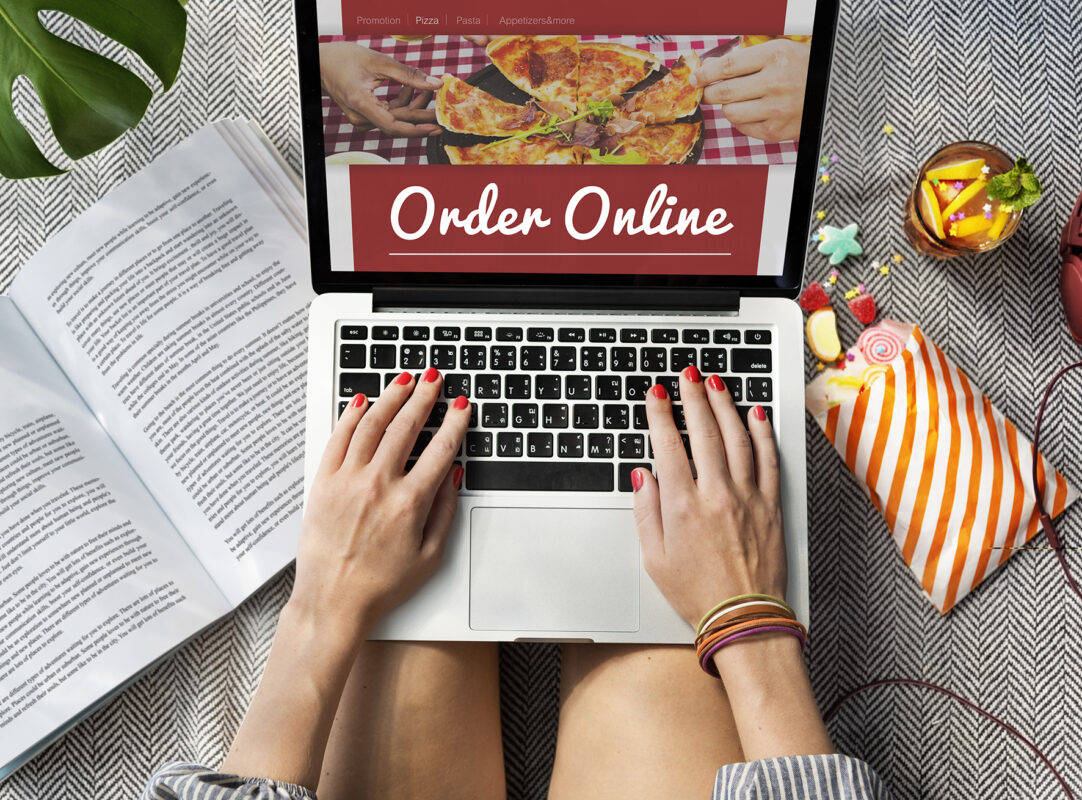
Let’s be honest: running a business in 2026 is complex enough. Between managing staff, tracking shifting inventory costs, and keeping your customers happy, the last thing you need is technology that makes your life harder.
Today, an online ordering system is the beating heart of your operations. It touches literally every corner of your business.
Think about what happens the second a customer taps Place Order. That single action sets off a massive chain reaction: payment processing, real-time inventory adjustments, kitchen or warehouse fulfillment workflows, staffing coordination, and customer data capture for your next marketing campaign. If even one link in that chain snaps, the customer experience suffers, and your earned margins go down with it.
Whether you operate a busy local restaurant, a neighborhood café, a multi-location specialty retail brand, or anything in between, choosing the right online ordering system is one of the most critical strategic decisions you will make this year.
This guide will walk you through evaluating your options, which features matter when the Friday night rush hits, how pricing really works, and how to roll out your new system the right way. Let’s help you choose with confidence and avoid costly mistakes.
Why Online Ordering Is a “System,” Not Just a Button
The single biggest mistake we see business owners make is treating online ordering like a plug-and-play accessory when it is a living, breathing operational workflow.
Consider the lifecycle of a single order:
Customers place orders and payment processes seamlessly, inventory updates instantly, your team fulfills the order accurately, data feeds into your CRM, the customer receives an automated loyalty reward, and the customer returns.
When your technology isn’t seamlessly synced, that beautiful workflow turns into chaos.
- If your system doesn’t talk directly to your Point of Sale (POS), you are forcing your staff to manually re-enter orders (typos and wasted labor).
- If your inventory doesn’t update in real time, you end up overselling products and having to make awkward apology calls to customers.
- If the mobile checkout is clunky, your cart abandonment rate will skyrocket.
- If you don’t own your customer data, you are essentially renting your own customers from third-party delivery apps.
While food service and retail businesses obviously sell different things, their core operational needs overlap more today than ever before. You both need speed and accuracy, margin protection, seamless multi-location coordination, total ownership of your customer data, and data-driven growth.
The right online ordering system supports your entire business ecosystem.
Start With Your Business Model (Because “Best” Depends on This)
Let’s bust a myth right now: There is no universal best platform out there. There is only the best system for your specific operating reality.
If You’re in Food Service & Hospitality
Restaurants and food operators need robust, hospitality-first systems that can gracefully manage:
- In-store pickup and curbside delivery
- In-house or third-party delivery routing
- Complex catering orders
- Future scheduled orders
But as any veteran restaurateur knows, the real battle is won or lost in the kitchen.
Restaurant menus are incredibly complex. You need a system that intuitively handles modifiers (no onions, sub gluten-free bun), combo logic, allergy alerts, and dynamic prep-time controls.
During peak hours, your kitchen can only push out so much food. Without automated order regulating or time-slot controls, a sudden flood of online orders can completely overwhelm your line cooks in a matter of minutes.
If your online ordering system doesn’t push directly to your Kitchen Display System (KDS) or can’t manage real-time item availability, it’s a liability, not a growth engine.
If You’re in Retail
Retailers face a completely different set of pressures. The modern 2026 consumer expects an effortless omnichannel experience. Your system must flawlessly handle:
- Ship-to-home logistics
- BOPIS (Buy Online, Pick Up In Store)
- Curbside pickup
- Variants (complex size, color, and SKU logic)
- Frictionless returns and exchanges
For retail, inventory accuracy is critical. If your e-commerce site doesn’t sync perfectly with your POS, overselling will destroy your brand trust overnight. Customers expect the transition between browsing on their couch and walking into your store to be invisible.
Before booking a single software demo, ask yourself:
- What is our average order volume, and what exactly breaks during peak times?
- Do we operate multiple locations that require different menus, taxes, or pricing tiers?
- What are our ultimate fulfillment constraints?
- What do our customers value most: lightning speed, hyper-personalization, loyalty perks, or subscriptions?
Answering these questions first will automatically eliminate half of the wrong vendors from your list.
The 8 Core Features That Separate Okay Platforms From Great Ones
When a sales rep gives you a demo, every system looks shiny and perfect. But real software performance only shows its true colors under the intense pressure of a Friday rush or a holiday sale.
Here are the 8 core capabilities you need to care about:
A Fully Branded, White-Label Experience
Your domain. Your aesthetic. Your brand voice. Customers should feel like they are doing business directly with you, not a massive, faceless third-party marketplace. A highly customized, consistent experience across desktop and mobile builds tremendous trust and naturally drives up conversion rates. More importantly, owning the brand experience builds long-term customer loyalty that you control.
Frictionless Payments and Checkout
Every extra click during checkout is a silent revenue loss. In 2026, your system must support digital wallets (Apple Pay, Google Pay), securely saved payment methods for returning guests, intuitive tip functionality for hospitality, and secure tokenized transactions. Shaving even a few seconds off the checkout flow will dramatically boost your conversions.
True Real-Time POS Integration (The Dealbreaker)
We cannot stress this enough: This is non-negotiable. A professional online ordering system integrates directly with your POS, ERP, and inventory management systems. Orders must flow automatically straight to the kitchen or packing station. Inventory must decrease instantly. The days of the tablet farm where your front counter is cluttered with five different tablets chiming simultaneously while your staff anxiously types orders are over.
Smart Catalog & Menu Management
You need total, easy control over your offerings. You should be able to schedule availability (e.g., breakfast menu disappears at 11:00 AM), build bundles, manage deep modifiers for food, and handle endless variants for retail. You need the flexibility to adapt to operational hiccups on the fly without needing to call IT.
Advanced Fulfillment & Kitchen Controls
A great system acts as a shield for your operations team. Features like time slots, automated lead-time buffers, and order throttling prevent rush-hour meltdowns. If your kitchen gets slammed, the system should automatically tell the next online customer that their wait time is 45 minutes instead of 20. This allows you to promise accurately and deliver consistently.
Dynamic Pricing Logic and Promotions
With inflation and shifting supply chain costs, margin control is everything. Look for systems that empower you to set specific pricing (charging slightly more online to offset delivery costs), dynamic delivery fees, conditional discounts, and logic. Your pricing strategy needs to be agile, not static.
Customer Data and CRM Hooks
If you remember one thing from this guide, let it be this: Customer ownership is the difference between a surviving business and a thriving business. Third-party apps hide customer data from you. A true first-party system lets you capture rich customer profiles, track deep order history, segment your audience (e.g., loyalty members who haven’t ordered in 30 days), and analyze lifetime value. Data is the fuel for customer retention.
Deep Operational Analytics
You need actionable insights that answer:
- Where are our operational bottlenecks occurring?
- Which items perform best online vs. in-store?
- What is our exact cart abandonment rate?
- Which fulfillment channel yields the highest profit margin?
Without clear, operational insights, optimizing your business is just expensive guesswork.

The 3 Platform Types (And When Each Makes Sense)
Every online ordering strategy ultimately falls into one of three buckets:
- Marketplace-First (The Third-Party Apps)
Apps like DoorDash, UberEats, or Amazon offer immediate access to a massive pool of hungry buyers and built-in discovery. They are incredibly easy to turn on.
The Catch: They charge exorbitant commission fees (sometimes up to 30%), you don’t get the customer’s email address, and you risk your brand getting lost in a sea of competitors. This is a great tool for customer acquisition, but a terrible strategy for long-term profitability.
- Branded First-Party (Your Own System)
This is where your long-term wealth is built. A direct, first-party system gives you 100% control. You keep the data, your profit margins instantly improve, and your brand remains front-and-center.
The Trade-off: You must actively market it. You must give your customers a reason (like loyalty points or exclusive items) to order directly from your website instead of a third-party app.
- The Hybrid Strategy (The 2026 Gold Standard)
For most growth-minded businesses, the hybrid model is the winner. You use the third-party marketplaces strictly as an acquisition channel to find new customers. Then, you place marketing materials in their bag (like a QR code for 15% off their next order) to drive them to your highly profitable, branded first-party platform for all future orders. It’s the perfect retention engine.
Integration Reality Check: POS, Inventory, Delivery, Marketing
Before you sign any software contract, sit down and map your integrations. Do not take a salesperson’s word for it. Demand proof of:
- True two-way POS integration (Not just an email that pings your front desk).
- Real-time inventory syncing.
- Compatibility with your preferred delivery logistics networks.
- Seamless hooks into your CRM and marketing platforms.
- GA4 tracking and marketing attribution.
Major Red Flags: Manual data exports, a lack of testing environments, and most importantly, poor customer support. When your system goes down at 6:30 PM on a Friday, who picks up the phone? A software subscription is never worth it if you have zero support during peak operational hours.
Pricing & Fees: How to Compare Apples to Apples
SaaS pricing models are notoriously tricky. Instead of just looking at the big, bold number at the top of the pricing page, you need to calculate the total cost of ownership.
Common structures include monthly subscription fees, per-order transaction fees, payment processing markups, and extra charges for add-on modules (like loyalty or gift cards).
Do the math on your own terms:
- Calculate the effective fee per order based on your specific monthly volume.
- Calculate your exact profit margin by channel (pickup vs. direct delivery vs. marketplace).
- Determine the break-even timeline for transitioning your regulars from third-party apps to your first-party system.
Remember: The lowest advertised software fee rarely equals the lowest total cost to your business.
Security, Compliance, and Reliability (Don’t Skip This)
Operational trust cannot be an afterthought. Your technology partner must prioritize protecting your business and your customers. Ensure your provider offers rock-solid, compliant payment handling, a transparent and proven uptime history (look for 99.99%), built-in fraud prevention tools, and role-based staff permissions to prevent internal theft or errors.
For multi-location operators, centralized reporting and enterprise-level controls are mandatory. Security isn’t an upgrade; it is the foundation of your business.

Implementation Plan: A Practical 30–60 Day Rollout
Great software fails all the time due to terrible implementation. A successful rollout requires structure and a dedicated technology partner.
- Weeks 1- 2 (Discovery): Confirm your exact operational requirements, choose your platform type, and clearly map out all POS and gateway integrations.
- Weeks 2 – 4 (Build): Configure your catalog/menu, establish your dynamic pricing logic, map out your delivery service areas, and dial in the visual branding.
- Weeks 4 – 6 (Stress Test): Test the system persistently. Train your staff on the new workflow. Run mock orders during a simulated rush. Prepare your team for the edge cases (like refunding a canceled order).
- Weeks 6 – 8 (Launch & Learn): Execute a soft launch. Gather immediate feedback from staff and trusted regulars. Run targeted promotions to drive initial traffic, and review weekly KPIs (conversion rates, average order value, kitchen fulfillment times, and repeat order rates).
Discipline during the implementation phase dictates how fast you will see a return on your investment.
How to Choose Your Ideal Vendor (Use This in Demos)
Let’s pull back the curtain on software demos: they are meticulously designed to look flawless. When a sales rep walks you through a platform, they are showing you the happy path, the ideal scenario where every customer orders perfectly, the kitchen isn’t backed up, and the Wi-Fi never drops.
But you don’t operate on the happy path. You operate in the real world, where Friday night rushes happen, items run out of stock, and customers ask for complicated refunds.
To find a true technology partner rather than just a software vendor, you need to break the sales pitch and ask the hard questions.
Print out this checklist and bring it to every single vendor demo. If they hesitate, deflect, or give you a vague answer to any of these questions, consider it a massive red flag:
- When you say it integrates with our POS and inventory, what does that specifically mean?
Do not accept: yes, we integrate, as an answer. Force them to explain the mechanics. Does the online order push directly into your POS system and print to the kitchen or warehouse automatically? Does it pull real-time inventory counts to prevent overselling, or is it just an email notification? - Based on our expected monthly order volume, what are the exact total fees?
Make them do the math right there on the call. Ask them to calculate the total monthly cost factoring in your expected volume, subscription fees, per-order transaction fees, and any hidden payment processing markups. - How does your system handle the bad days: outages, refunds, chargebacks, and disputes?
When the internet goes down or AWS crashes, what is the offline mode protocol? If a customer demands a refund for a missing item, can your staff process a partial refund seamlessly from the POS, or does it require logging into a separate web portal? Who eats the cost of a chargeback? - Do we own 100% of our customer data, and how easily can we export it?
This is about protecting your future. Ask to see their exact data ownership policy. If you decide to switch vendors in three years, can you easily export your entire customer list, order histories, and loyalty data, or do they hold your earned customer relationships hostage? - What is the realistic implementation timeline, and who does the heavy lifting?
Software is only as good as its rollout. Ask for a day-by-day roadmap. More importantly, clarify the workload: Are they building out your complex menus, variants, and modifiers, or are they just handing you a blank software shell and wishing you good luck? - What does support look like at 7:00 PM on a Friday night?
The hospitality and retail industries do not operate Monday through Friday from 9 to 5. If your system crashes during your busiest weekend rush, you need to know exactly who is picking up the phone. Are you going to be stuck arguing with an AI chatbot, or do you get instant access to a live, knowledgeable support team? - Can you show me the operational reporting right now?
Don’t let them skip past the analytics dashboard. Ask them to show you exactly how the system answers your most critical questions: What is our true profitability by channel? What is our repeat customer rate? How is our Average Order Value (AOV) trending? And most importantly, where are our operational bottlenecks occurring in real time?
A reputable technology partner will light up when you ask these questions because they will have the infrastructure and the integrity to answer them directly.
2026 Trends to Watch (Evergreen, Updatable Section)
The digital ordering landscape is shifting rapidly. If you are upgrading your system this year, ensure it is equipped to handle:
- True Omnichannel Syncing: Your website, mobile app, self-serve kiosks, and table-side QR codes must all speak to the exact same database.
- AI-Driven Personalization: Systems that remember a customer’s favorite order and automatically suggest complementary add-ons (like an extra side of ranch or a matching accessory) are becoming the standard expectation.
- The First-Party Push: As third-party marketplace fees continue to squeeze operators, the industry is aggressively pivoting back to heavily incentivized first-party ordering.
- Embedded Forecasting: The best systems now use your historical online ordering data to help predict next week’s inventory and staffing needs.
Online ordering has officially matured. It is no longer just a convenience layer for the customer; it is the primary revenue engine for your business.
Frequently Asked Questions
What is the best online ordering system for a small business?
The best system is the one that natively integrates with your existing Point of Sale, matches your kitchen/warehouse capacity, and aligns with your long-term growth goals. Do not just buy the software with the most commercials on TV.
Do I absolutely need POS integration?
Yes. Trying to run a modern business without POS integration leads to wasted labor, inventory nightmares, massive human error, and a miserable experience for your staff.
Should I rely entirely on third-party apps like DoorDash or UberEats?
No. They are incredibly powerful for acquiring new customers, but their high fees destroy long-term profitability. Use them to get discovered, then use your branded first-party platform to retain those customers.
How long does implementation usually take?
With a structured plan and a dedicated technology partner guiding you, a clean, fully integrated rollout typically takes 30 to 60 days.
How do I increase my online conversion rate?
Optimize your mobile user experience (UX), cut out unnecessary steps in the checkout process, enable digital wallets like Apple Pay, and offer exclusive first-party incentives (like: Get a free appetizer when you order directly through our website).
Final Thoughts: Choose a Partner, Not Just a Platform
The right online ordering system does more than process credit cards. It protects your profit margins, simplifies the daily lives of your staff, takes back ownership of your customer data, and builds a scalable infrastructure for your future.
You are investing in your business’s central nervous system.
Use this guide as your blueprint. Shortlist two or three trustworthy providers. Run structured demos and ask the tough, specific integration questions. Most importantly, look for a technology partner who understands your daily operational struggles.
Ready for Expert Guidance?
You don’t have to navigate this alone. If you want a professional set of eyes on your business before you sign a contract, request an Ordering System Fit Assessment with our team.
A brief, strategic consultation today can save you from a massive, expensive operational headache tomorrow. Let’s find the solution that works for you.
Sign Up for our Newsletter